Elastic Application Runtime Installation
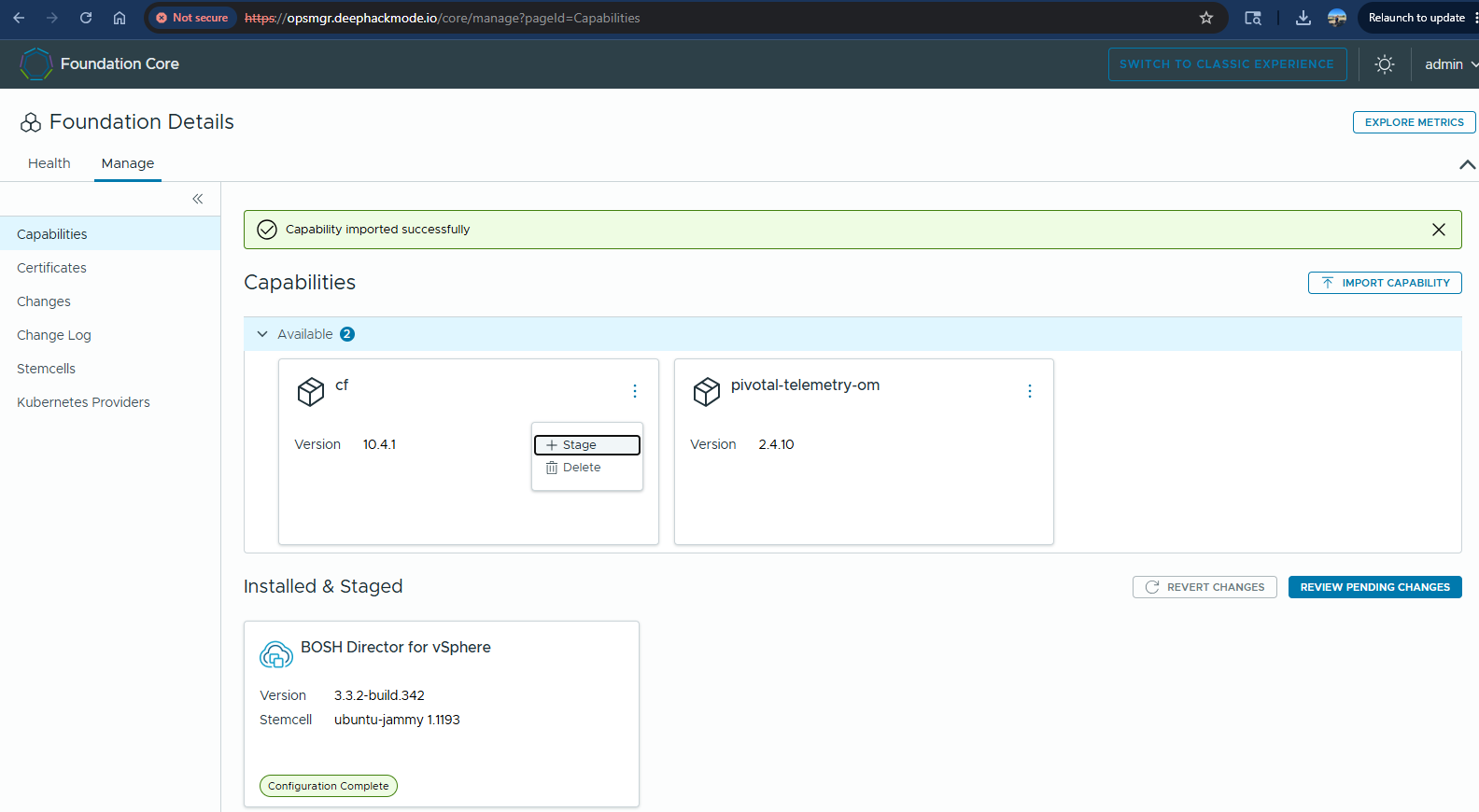
My homelab has the latest version of Foundation Core (previously known as Ops Manager). My plan is to install the Elastic Application Runtime tile (previously known as Tanzu Application Service). I have downloaded EAR (Elastic Application Runtime) Small Footprint version 10.4.1. In the Foundation Core->Capabilities page, I clicked “Import Capability” button and selected the downloaded file and started importing. After around a minute, the Import has completed.
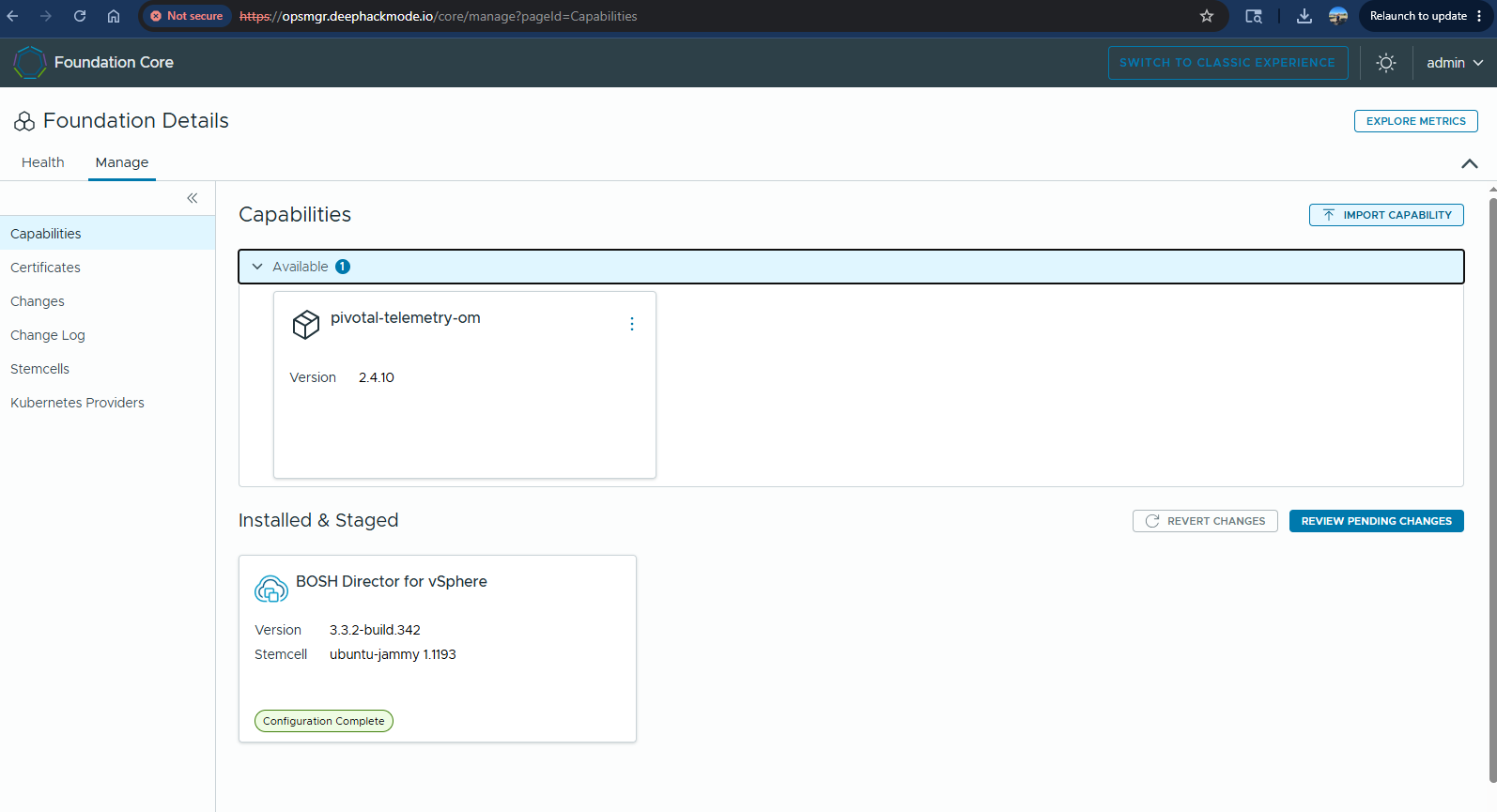
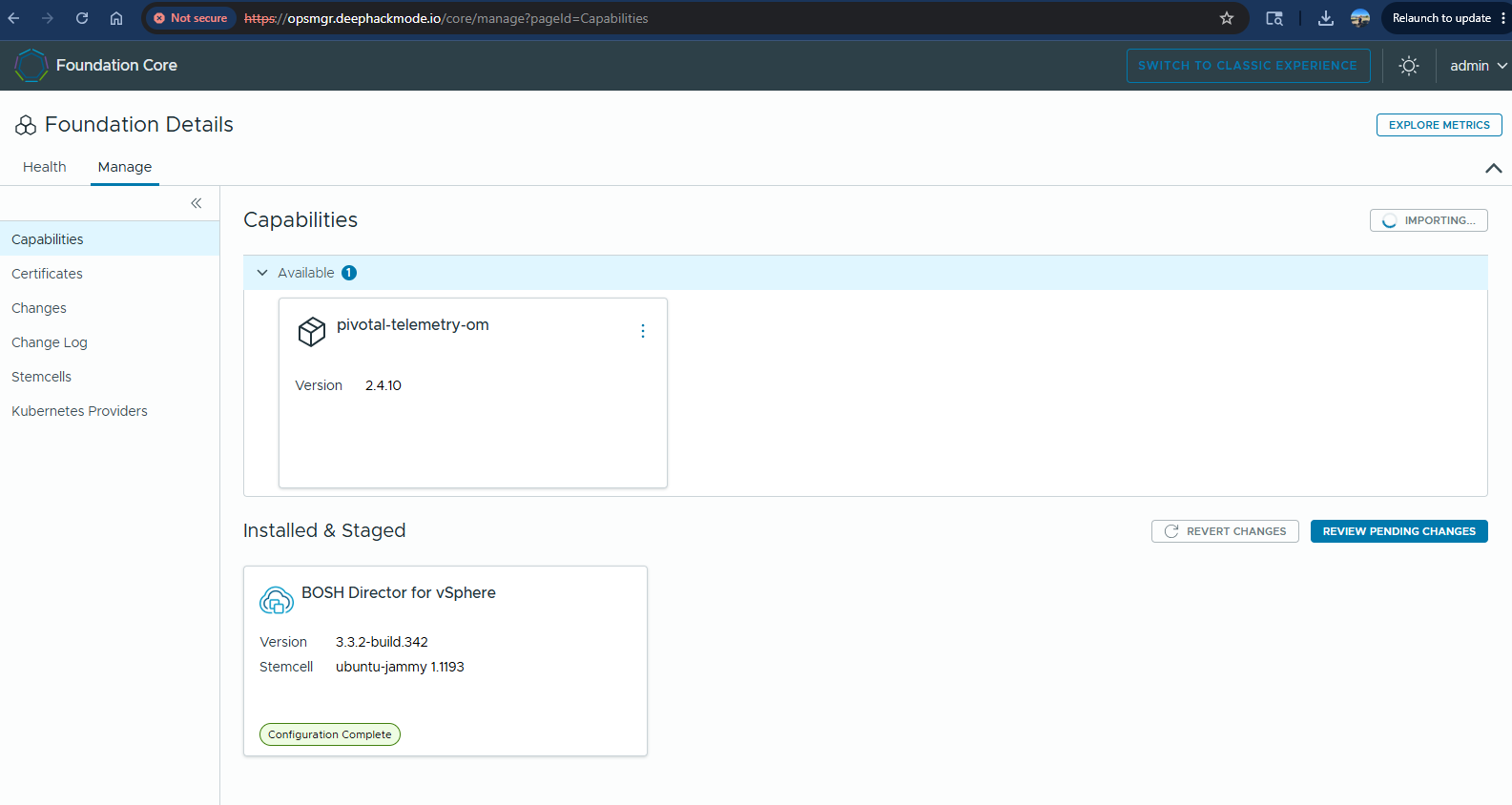
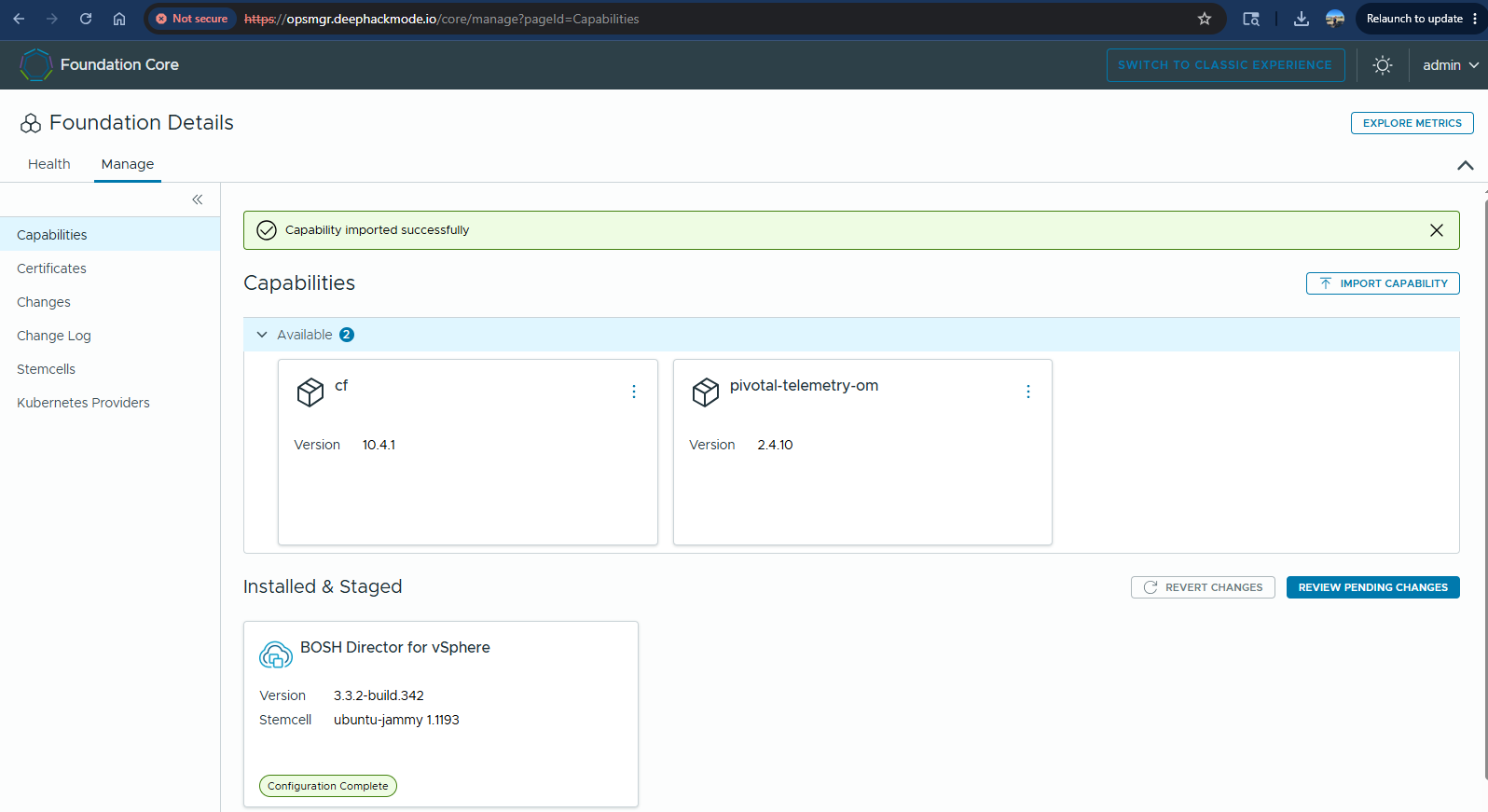
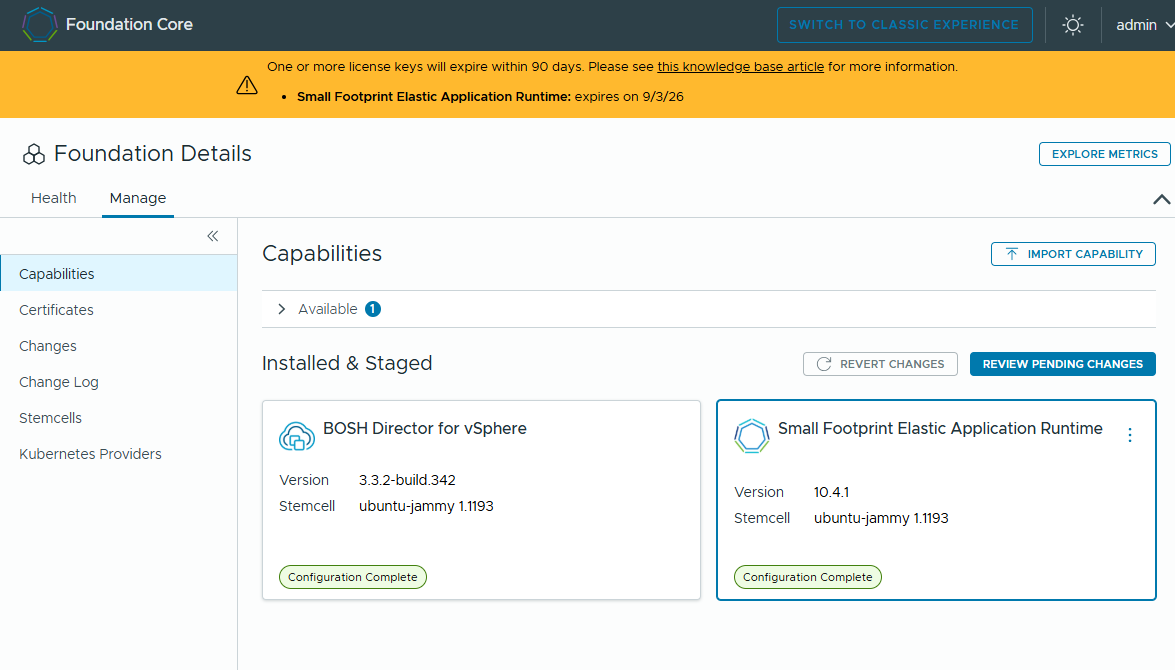
Once the EAR tile was available, I staged it, and then it moved to the “Installed & Staged” section.
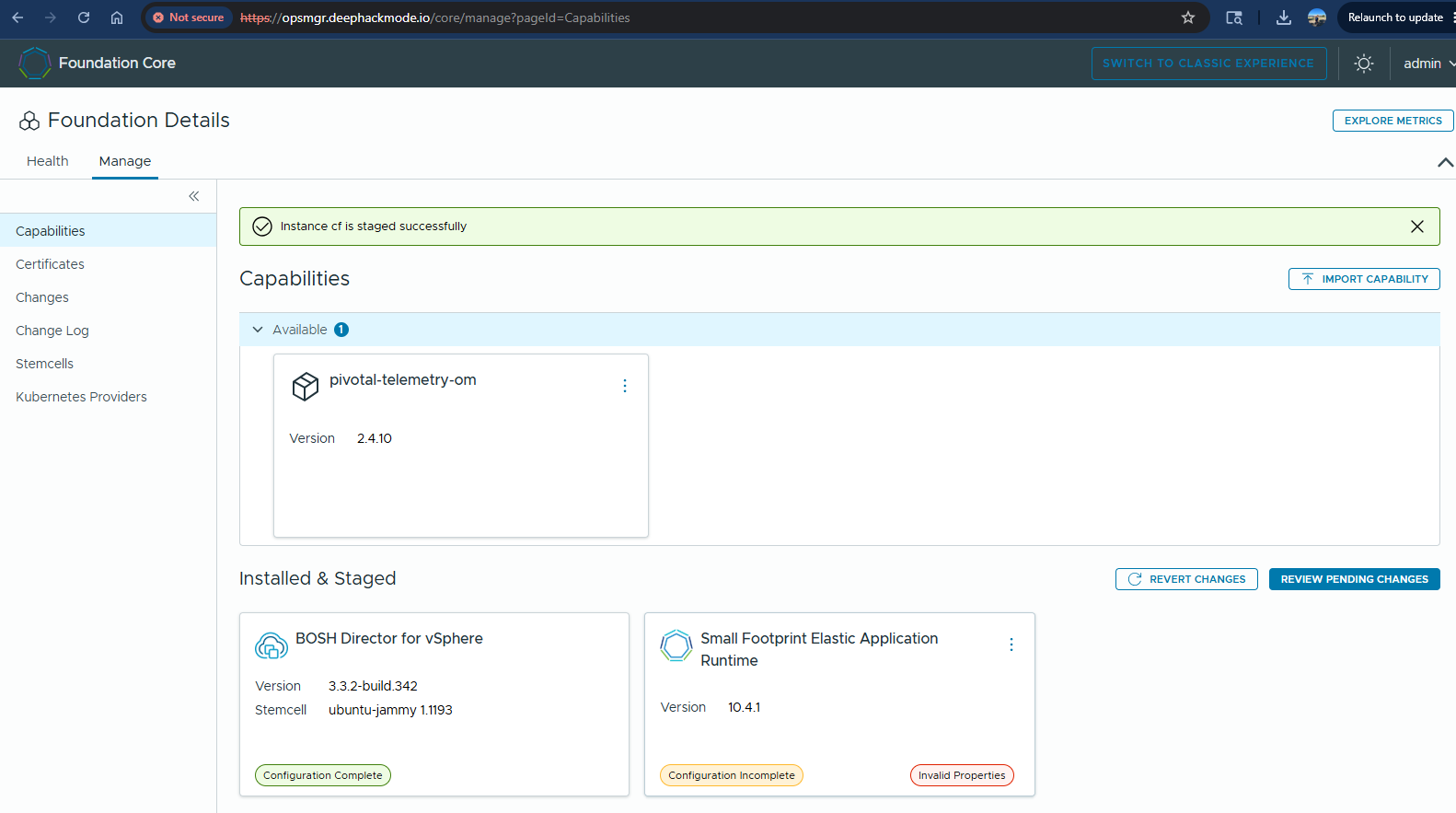
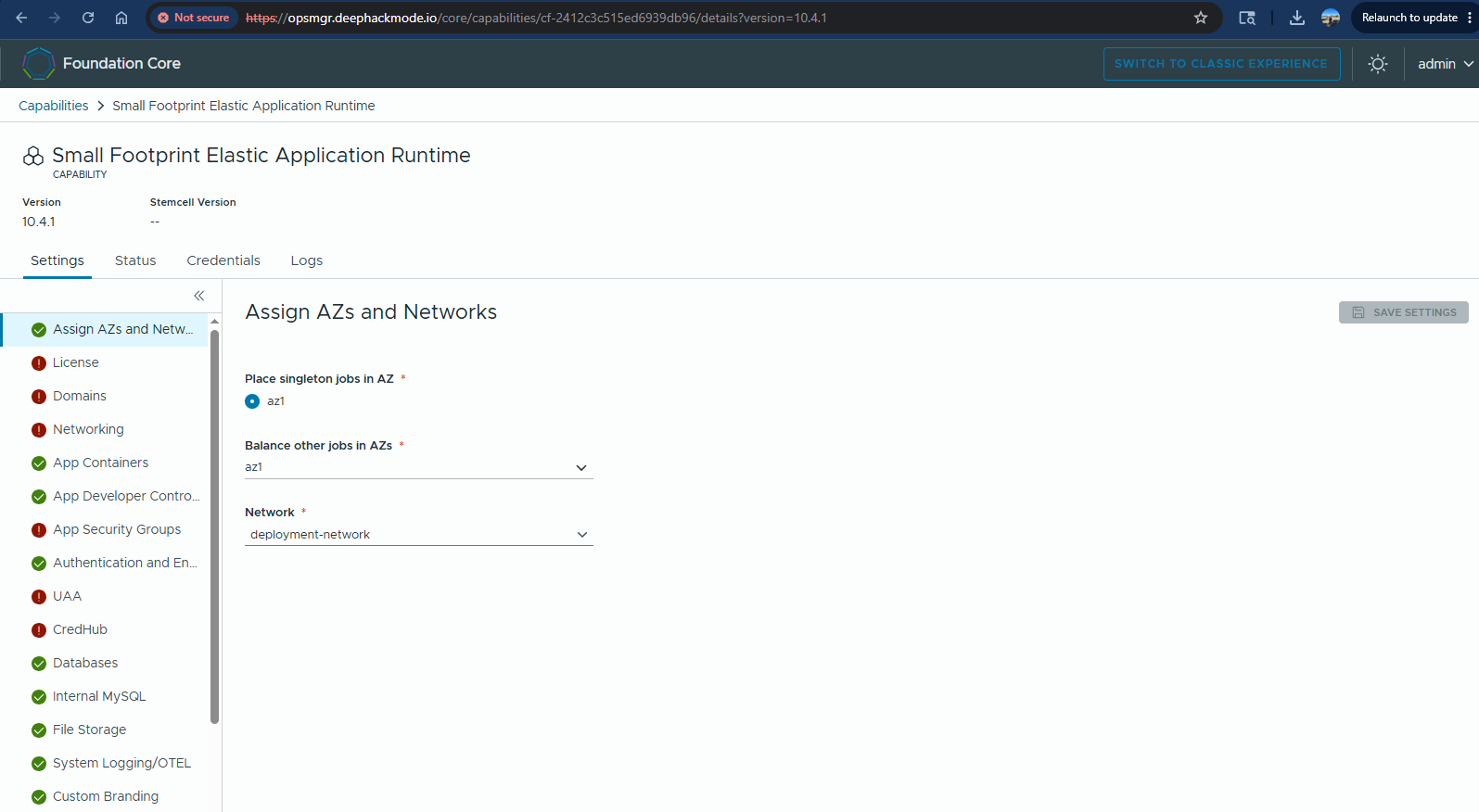
I started configuring the tile. In Assign AZs and Networks, I selected the appropriate settings according to what my homelab has.
In the Licenses tab, I added the license that I acquired for my testing.
In Domains tab, I entered the System and Apps domain values accordingly.
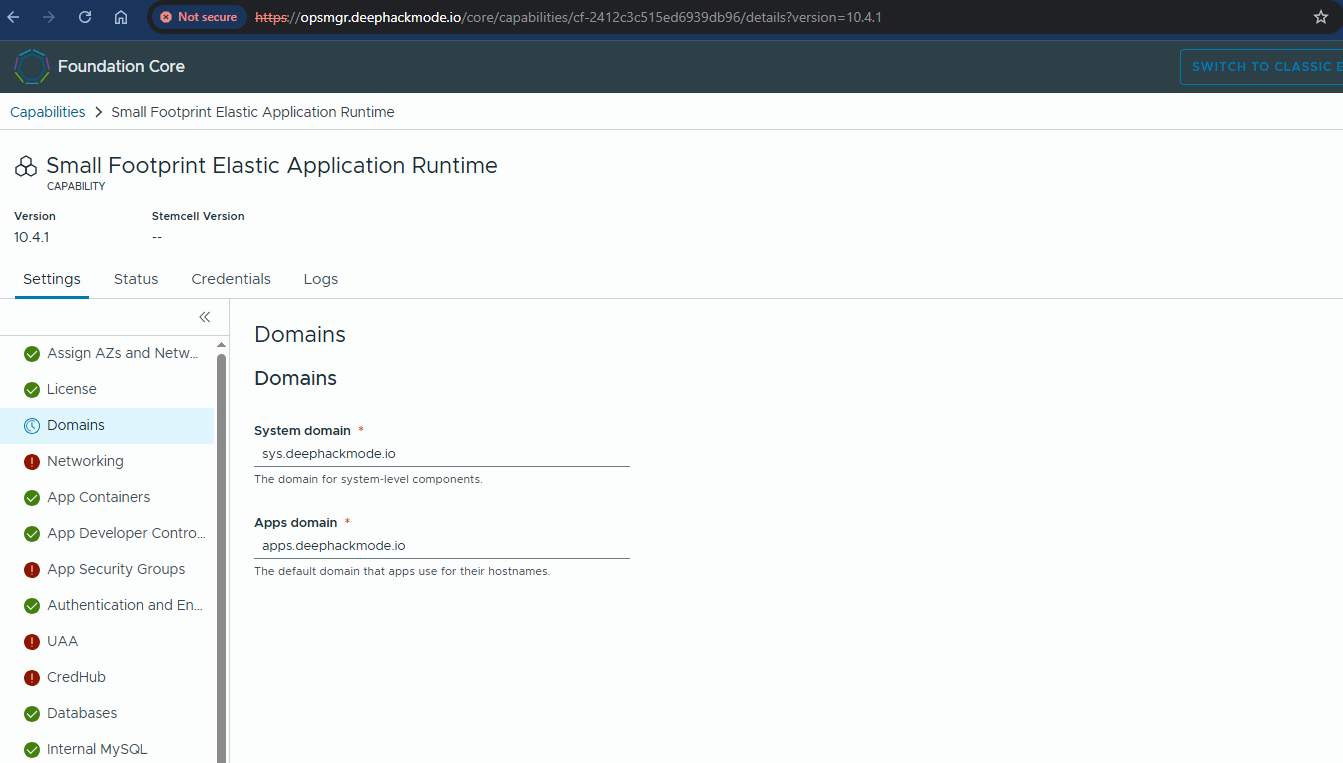
I saved the Domains tab, but I got a verifier error:
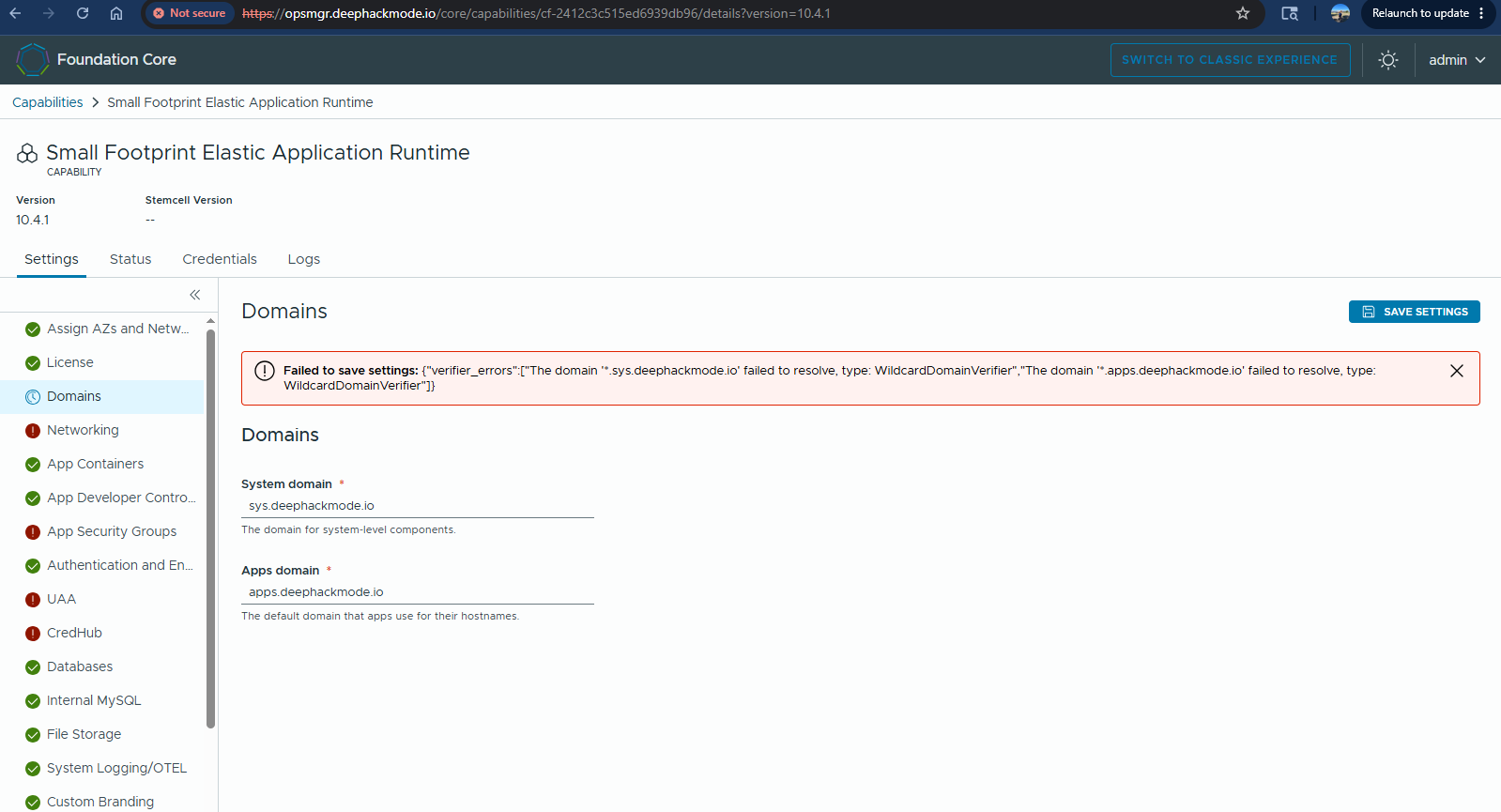
The verifier error was due to the domains’ wildcard records were not yet set in my DNS server. So, in the dnsmasq zone configuration file, I added the following lines and restarted the dnsmasq service:
address=/sys.deephackmode.io/192.168.16.101
address=/apps.deephackmode.io/192.168.16.101
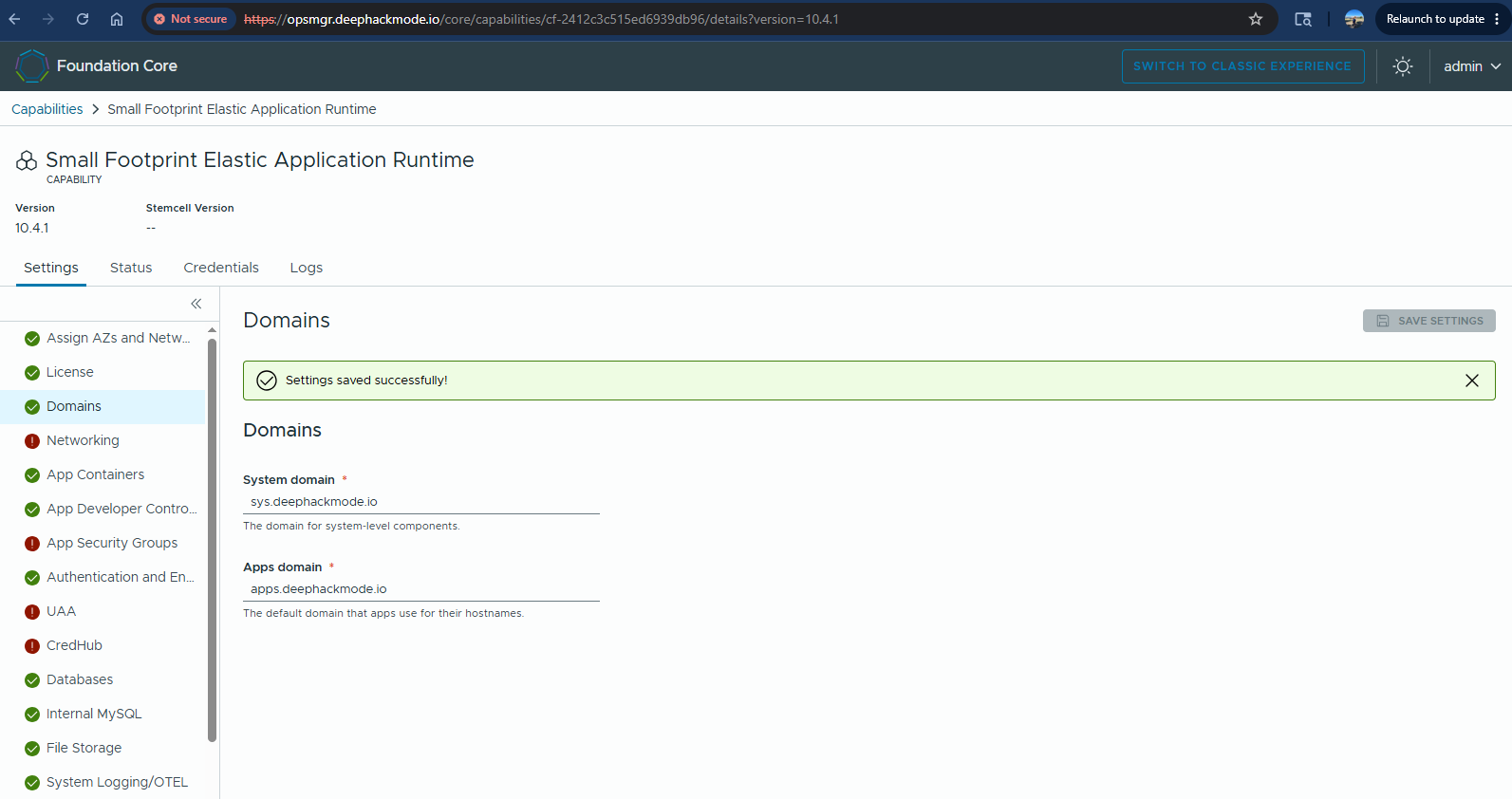
Then, I tried saving the Domains page again and it worked this time!
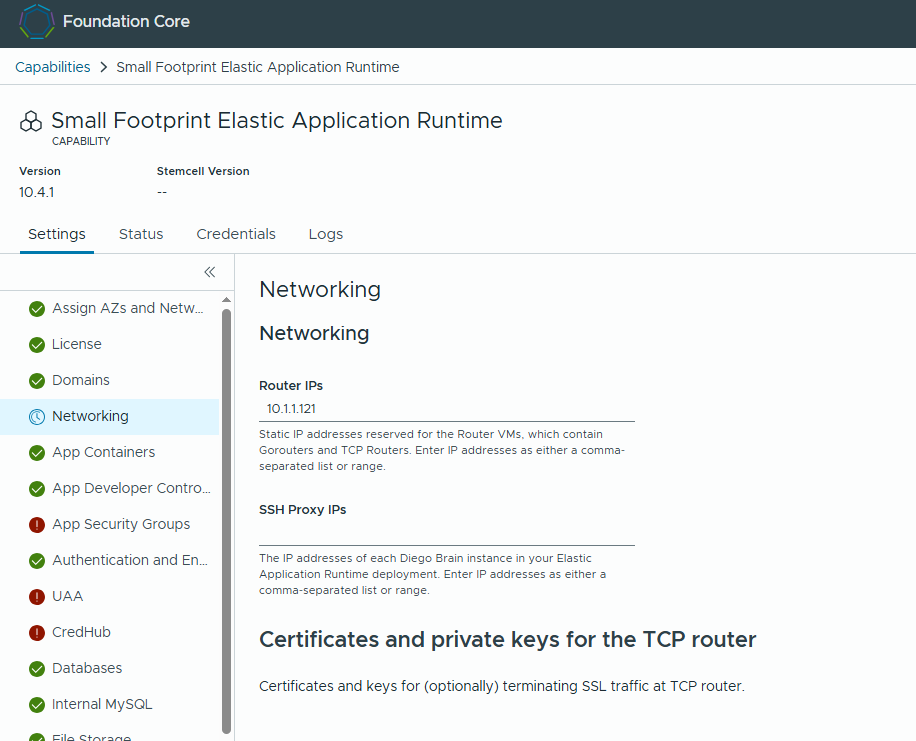
In the Networking tab, I set a static IP for the router instance. I selected 10.1.1.121 to be the static IP of the router instance.
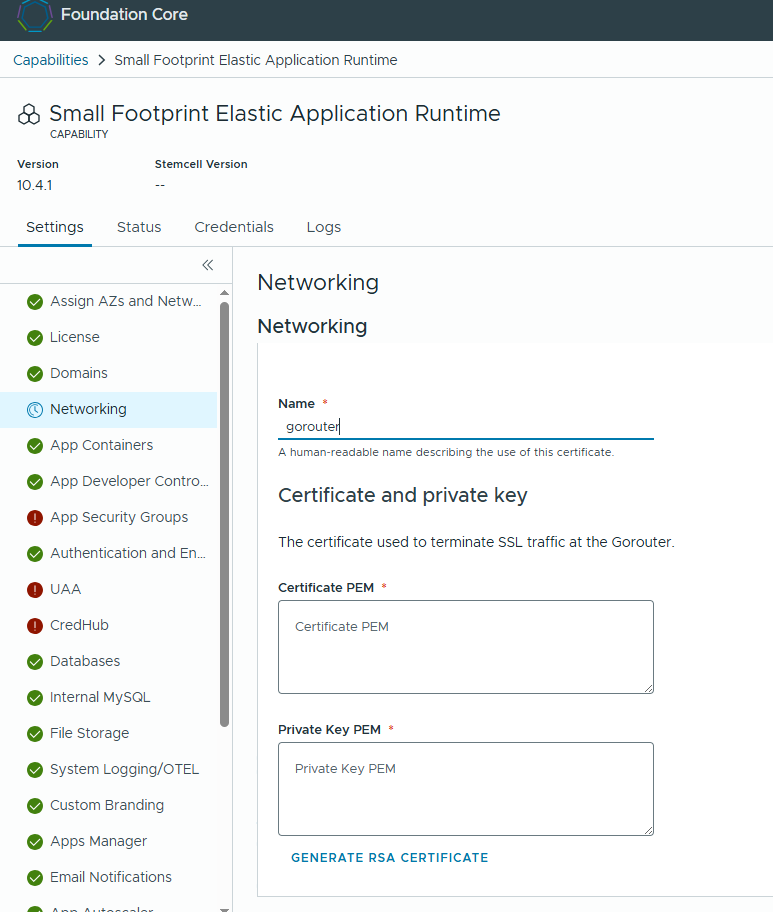
Then, moved on to the “Certificates and private keys for the Gorouter” section, and added a cert & key for “gorouter”. For the Domain names, I entered the wildcard domain names ‘*.sys.deephackmode.io,*apps.deephackmode.io’ when I generated the RSA certificate.
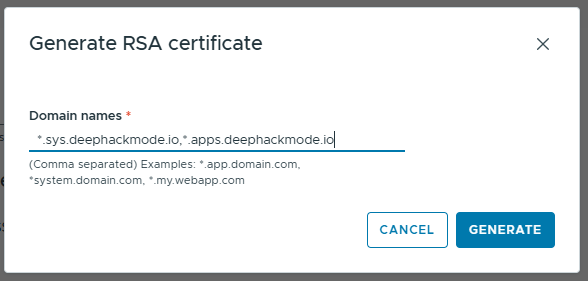
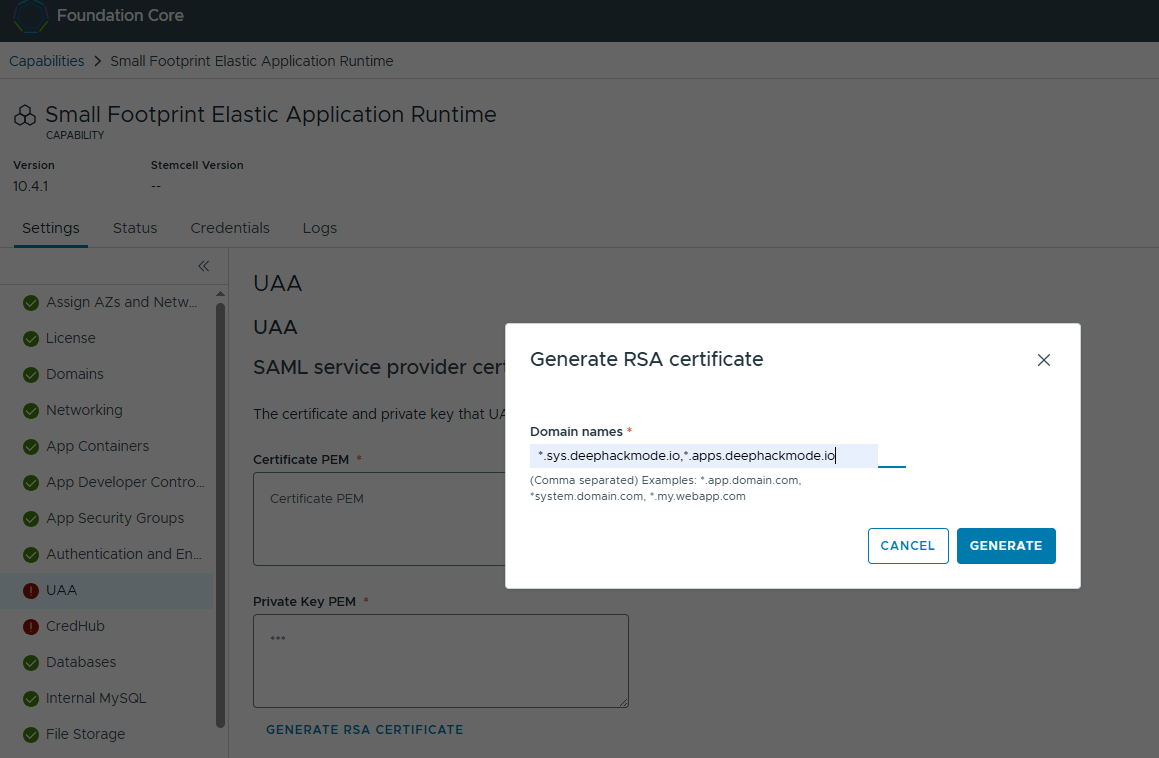
In UAA tab, there is a required setting “UAA SAML service provider certificate and private key”. I also entered the wildcard domain names ‘*.sys.deephackmode.io,*apps.deephackmode.io’ when I generated the RSA certificate.
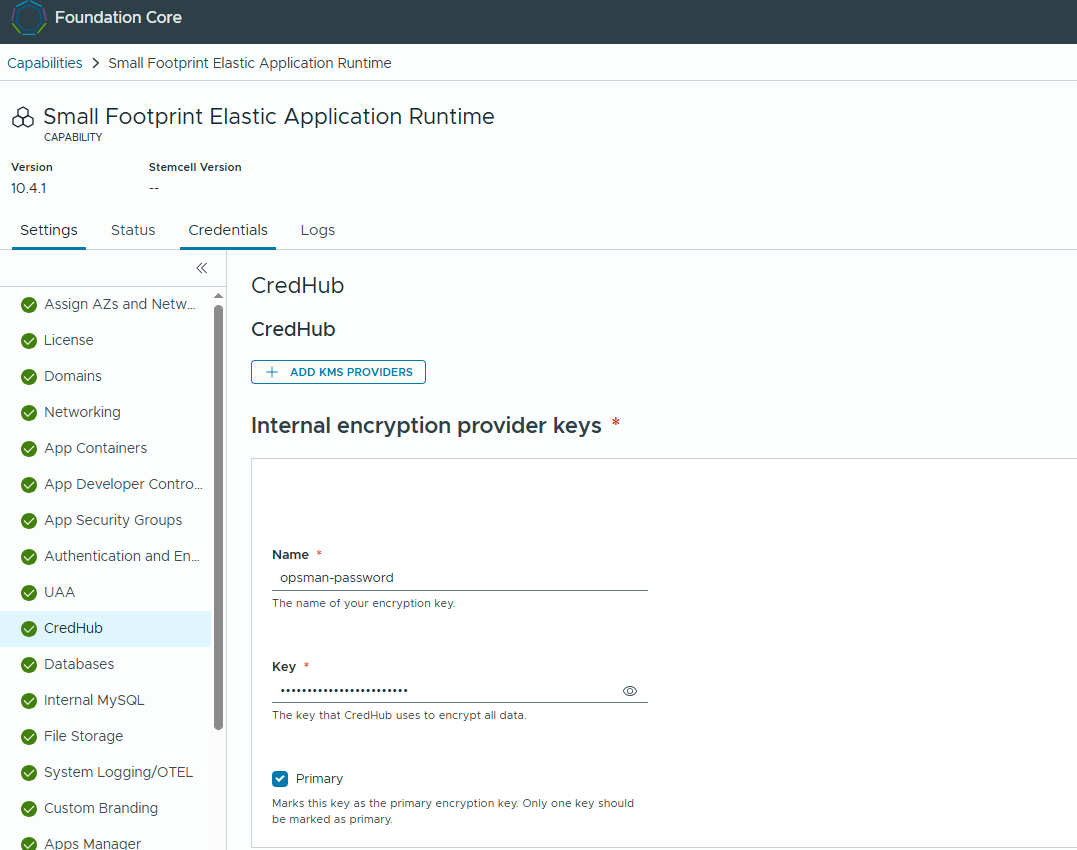
In the Credhub tab, I added primary key in the “Internal encryption provider keys” section. The name can be anything you want, and the key has to be any string that is at least 20 characters long. I marked it as Primary too.
I didn’t change the other tabs’ settings aside from the above.
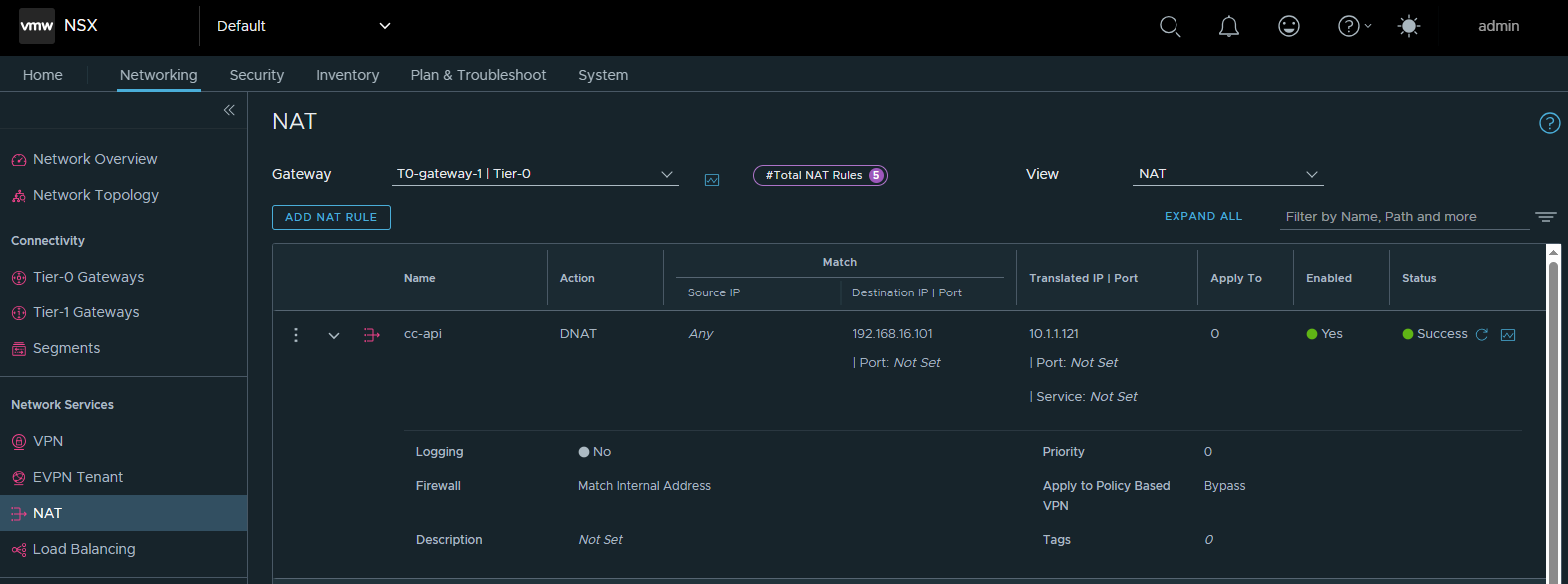
I then set up a DNAT in my NSX environment to have a routable IP address translate into the static gorouter IP.
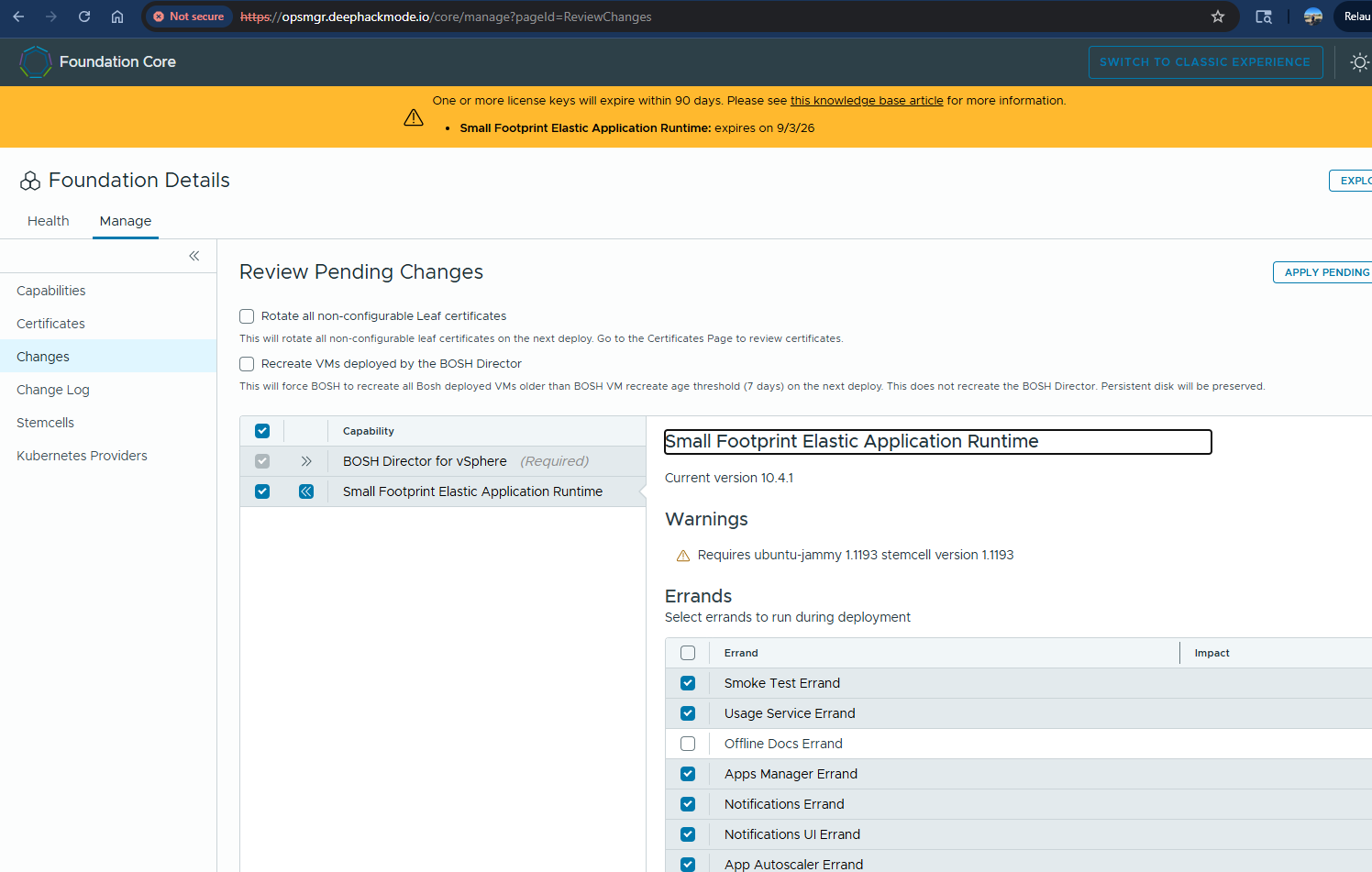
Navigated back to Foundation Core->Changes->Review Pending Changes tab. Made sure that all the default enabled errands are selected. Clicked Apply Pending Changes button.
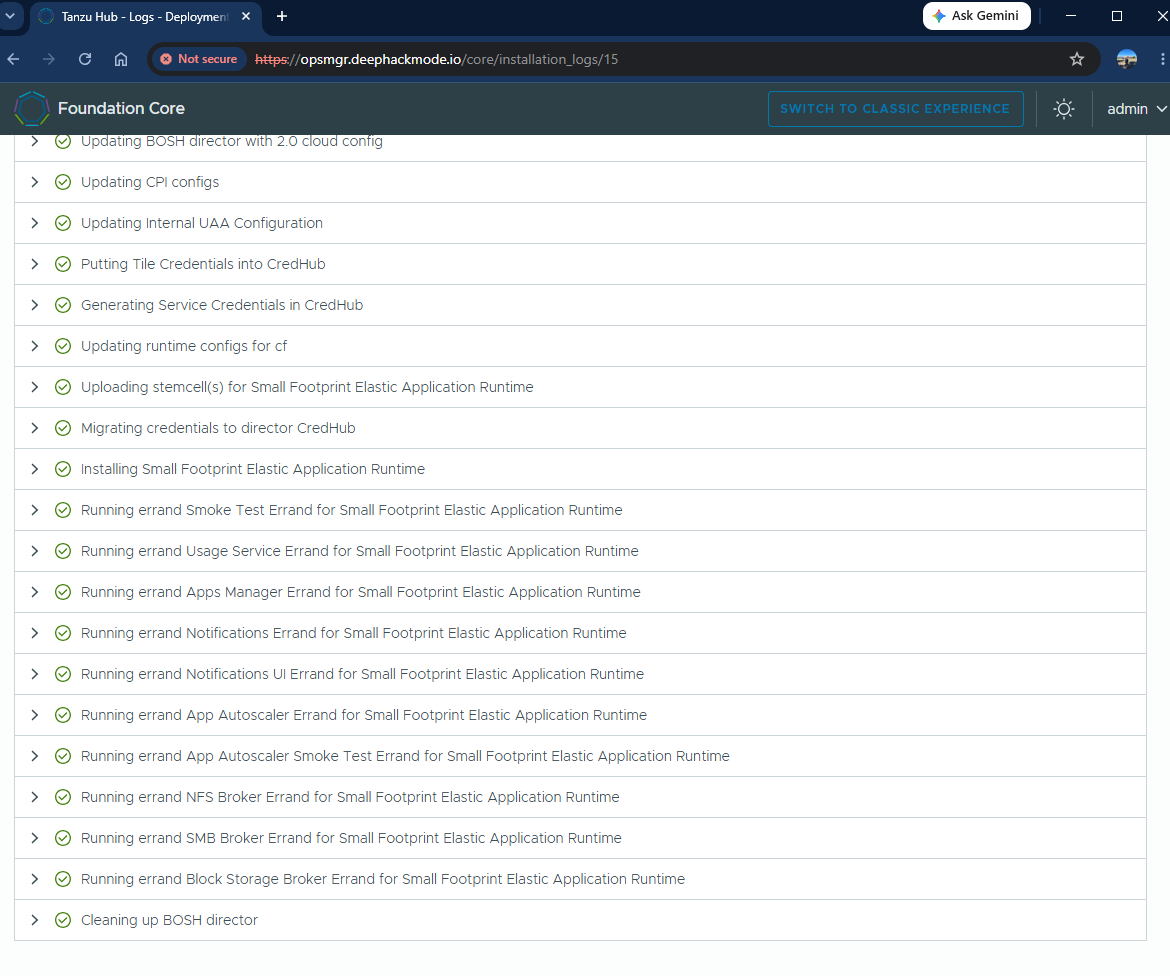
After around an hour and a half, the Apply Changes completed successfully! All the errands ran successfully too, which is a great positive sign that everything is working!
Let’s ‘cf push’ an app. We need to install the cf cli first. The cf cli should be available in the Apps Manager. We need the admin credentials to be able to access the Apps Manager, and also login using the cf cli.
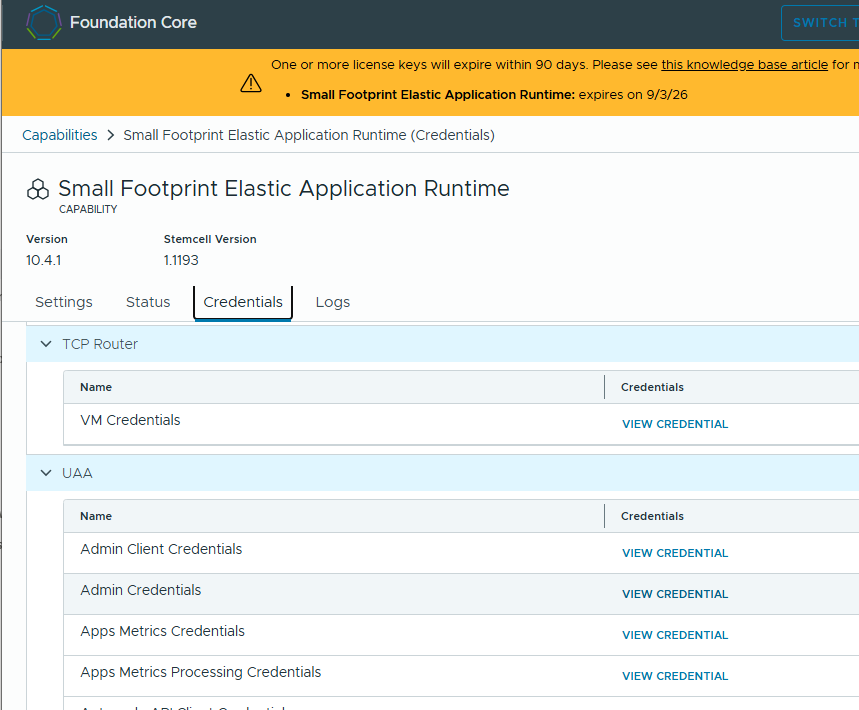
To retrieve the admin credentials, I navigated to the EAR tile->Credentials tab and scrolled down to the UAA section and clicked on “Admin Credentials”.
Then, navigated to the Apps Manager at https://apps.sys.deephackmode.io. Logged in with the ‘admin’ account and password retrieved in the previous step. Once logged in, navigated to the Tools section and downloaded the cf cli accordingly.
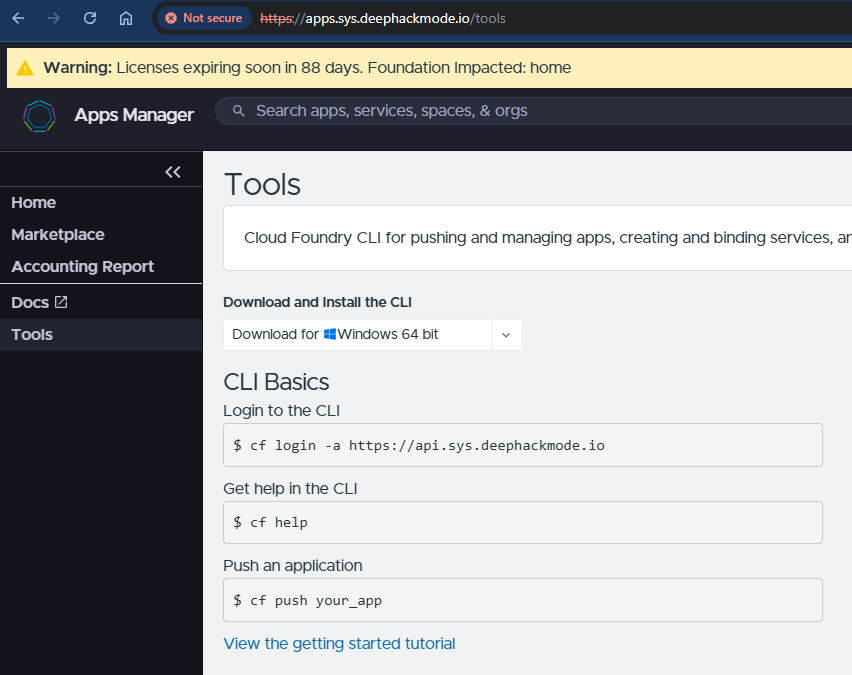
I installed the cf cli in the Ops Manager VM and made it available in the PATH. I used cf login with the admin and password. I was able to examine the system org and system space.
ubuntu@opsmgr:~$ mkdir cf-cli
ubuntu@opsmgr:~$ cd cf-cli
ubuntu@opsmgr:~/cf-cli$ tar xvfz ../cf10-cli-linux-amd64.tar.gz
cf
cf10
ubuntu@opsmgr:~/cf-cli$ ls -l
total 100312
lrwxrwxrwx 1 ubuntu ubuntu         4 May  7 23:33 cf -> cf10
-rwxr-xr-x 1 ubuntu ubuntu 102715554 May  7 23:27 cf10
ubuntu@opsmgr:~/cf-cli$ sudo install cf10 /usr/local/bin/cf
ubuntu@opsmgr:~/cf-cli$ cf login -a https://api.sys.deephackmode.io --skip-ssl-validation -u admin -p XoltNTYtGKZxkKxykO8w_3tb1RtZBtov
API endpoint: https://api.sys.deephackmode.io


Authenticating...
OK

Targeted org system.

Select a space:
1. autoscaling
2. notifications-with-ui
3. space-10363
4. system

Space (enter to skip): 4
Targeted space system.

API endpoint:   https://api.sys.deephackmode.io
API version:    3.217.0
user:           admin
org:            system
space:          system
--
[i] Checking for CLI updates...
[i] Updated plugin 'repo' to v1.6.1
[i] CLI update successful.
ubuntu@opsmgr:~/cf-cli$ cf apps
Getting apps in org system / space system as admin...

name                    requested state   processes   routes
app-usage-scheduler     started           web:1/1
app-usage-server        started           web:2/2     app-usage.sys.deephackmode.io
app-usage-worker        started           web:1/1
apps-manager-js-green   started           web:2/2     apps.sys.deephackmode.io
p-invitations-green     started           web:1/1     p-invitations.sys.deephackmode.io
search-server-green     started           web:2/2     search-server.sys.deephackmode.io
ubuntu@opsmgr:~/cf-cli$
I then created my own org and space.
ubuntu@opsmgr:~$ cf create-org alexisv
Creating org alexisv as admin...
OK

TIP: Use 'cf target -o "alexisv"' to target new org
ubuntu@opsmgr:~$ cf t -o alexisv
API endpoint:   https://api.sys.deephackmode.io
API version:    3.217.0
user:           admin
org:            alexisv
No space targeted, use 'cf target -s SPACE'
ubuntu@opsmgr:~$ cf create-space test
Creating space test in org alexisv as admin...
OK

Assigning role SpaceManager to user admin in org alexisv / space test as admin...
OK

Assigning role SpaceDeveloper to user admin in org alexisv / space test as admin...
OK

TIP: Use 'cf target -o "alexisv" -s "test"' to target new space
ubuntu@opsmgr:~$ cf t -s test
API endpoint:   https://api.sys.deephackmode.io
API version:    3.217.0
user:           admin
org:            alexisv
space:          test
ubuntu@opsmgr:~$
I then created a static app and pushed it!
ubuntu@opsmgr:~$ mkdir static
ubuntu@opsmgr:~$ cd static
ubuntu@opsmgr:~/static$ ls -l
total 0
ubuntu@opsmgr:~/static$ touch Staticfile
ubuntu@opsmgr:~/static$ cat > index.html
<html><head><title>It works!</title></head><body>Hello, World!</body></html>
ubuntu@opsmgr:~/static$ cf push hello
Pushing app hello to org alexisv / space test as admin...
Packaging files to upload...
Uploading files...
 346 B / 346 B [===================================================================================================================] 100.00% 1s

Waiting for API to complete processing files...

Staging app and tracing logs...
   Downloading binary_buildpack...
   Downloading nodejs_buildpack...
   Downloading python_buildpack...
   Downloading php_buildpack...
   Downloading dotnet_core_buildpack...
   Downloaded php_buildpack
   Downloading go_buildpack...
   Downloaded dotnet_core_buildpack
   Downloading r_buildpack...
   Downloaded nodejs_buildpack
   Downloading java_buildpack_offline...
   Downloaded python_buildpack
   Downloaded binary_buildpack
   Downloading staticfile_buildpack...
   Downloaded java_buildpack_offline
   Downloaded r_buildpack
   Downloading ruby_buildpack...
   Downloaded go_buildpack
   Downloading nginx_buildpack...
   Downloaded staticfile_buildpack
   Downloaded nginx_buildpack
   Downloaded ruby_buildpack
   Cell cdde8c36-b2dd-499e-81b7-d51b69efd836 creating container for instance 2eb16fc9-aa6f-439d-a2c9-eb994067b582
   Security group rules were updated
   Cell cdde8c36-b2dd-499e-81b7-d51b69efd836 successfully created container for instance 2eb16fc9-aa6f-439d-a2c9-eb994067b582
   Downloading app package...
   Downloaded app package (346B)
   -----> Staticfile Buildpack version 1.6.78
   -----> Installing nginx
   Using nginx version 1.29.8
   -----> Installing nginx 1.29.8
   Copy [/tmp/buildpacks/11e7f6d8b38e5ada/dependencies/9288a498b9353a534ce838e33ba5c3ec/nginx-static_1.29.8_linux_x64_cflinuxfs4_3f570aed.tgz]
   -----> Root folder /tmp/app
   -----> Copying project files into public
   -----> Configuring nginx
   Exit status 0
   Uploading droplet, build artifacts cache...
   Uploading droplet...
   Uploading build artifacts cache...
   Uploaded build artifacts cache (223B)
   Uploaded droplet (2.5M)
   Uploading complete

Waiting for app hello to start...

Instances starting...
Instances starting...
Instances starting...

name:              hello
requested state:   started
routes:            hello.apps.deephackmode.io
last uploaded:     Sun 07 Jun 02:56:01 UTC 2026
stack:             cflinuxfs4
buildpacks:
        name                   version   detect output   buildpack name
        staticfile_buildpack   1.6.78    staticfile      staticfile

type:            web
sidecars:
instances:       1/1
memory usage:    1024M
start command:   $HOME/boot.sh
     state     since                  cpu    memory     disk       logging        cpu entitlement   details   ready
#0   running   2026-06-07T02:56:09Z   0.0%   0B of 0B   0B of 0B   0B/s of 0B/s   0.0%                        true
ubuntu@opsmgr:~/static$
I quickly tested the app using curl.
ubuntu@opsmgr:~/static$ curl -vk https://hello.apps.deephackmode.io
*   Trying 192.168.16.101:443...
* Connected to hello.apps.deephackmode.io (192.168.16.101) port 443 (#0)
* ALPN, offering h2
* ALPN, offering http/1.1
* TLSv1.0 (OUT), TLS header, Certificate Status (22):
* TLSv1.3 (OUT), TLS handshake, Client hello (1):
* TLSv1.2 (IN), TLS header, Certificate Status (22):
* TLSv1.3 (IN), TLS handshake, Server hello (2):
* TLSv1.2 (IN), TLS header, Finished (20):
* TLSv1.2 (IN), TLS header, Supplemental data (23):
* TLSv1.3 (IN), TLS handshake, Encrypted Extensions (8):
* TLSv1.2 (IN), TLS header, Supplemental data (23):
* TLSv1.3 (IN), TLS handshake, Request CERT (13):
* TLSv1.2 (IN), TLS header, Supplemental data (23):
* TLSv1.3 (IN), TLS handshake, Certificate (11):
* TLSv1.2 (IN), TLS header, Supplemental data (23):
* TLSv1.3 (IN), TLS handshake, CERT verify (15):
* TLSv1.2 (IN), TLS header, Supplemental data (23):
* TLSv1.3 (IN), TLS handshake, Finished (20):
* TLSv1.2 (OUT), TLS header, Finished (20):
* TLSv1.3 (OUT), TLS change cipher, Change cipher spec (1):
* TLSv1.2 (OUT), TLS header, Supplemental data (23):
* TLSv1.3 (OUT), TLS handshake, Certificate (11):
* TLSv1.2 (OUT), TLS header, Supplemental data (23):
* TLSv1.3 (OUT), TLS handshake, Finished (20):
* SSL connection using TLSv1.3 / TLS_AES_128_GCM_SHA256
* ALPN, server accepted to use h2
* Server certificate:
*  subject: C=US; O=Pivotal; CN=*.sys.deephackmode.io
*  start date: Jun  6 00:00:00 2026 GMT
*  expire date: Jun  6 00:00:00 2028 GMT
*  issuer: C=US; O=Pivotal
*  SSL certificate verify result: unable to get local issuer certificate (20), continuing anyway.
* Using HTTP2, server supports multiplexing
* Connection state changed (HTTP/2 confirmed)
* Copying HTTP/2 data in stream buffer to connection buffer after upgrade: len=0
* TLSv1.2 (OUT), TLS header, Supplemental data (23):
* TLSv1.2 (OUT), TLS header, Supplemental data (23):
* TLSv1.2 (OUT), TLS header, Supplemental data (23):
* Using Stream ID: 1 (easy handle 0x557b1c9c79f0)
* TLSv1.2 (OUT), TLS header, Supplemental data (23):
> GET / HTTP/2
> Host: hello.apps.deephackmode.io
> user-agent: curl/7.81.0
> accept: */*
>
* TLSv1.2 (IN), TLS header, Supplemental data (23):
* TLSv1.3 (IN), TLS handshake, Newsession Ticket (4):
* TLSv1.2 (IN), TLS header, Supplemental data (23):
* Connection state changed (MAX_CONCURRENT_STREAMS == 250)!
* TLSv1.2 (OUT), TLS header, Supplemental data (23):
* TLSv1.2 (IN), TLS header, Supplemental data (23):
* TLSv1.2 (IN), TLS header, Supplemental data (23):
* TLSv1.2 (IN), TLS header, Supplemental data (23):
< HTTP/2 200
< accept-ranges: bytes
< content-type: text/html; charset=utf-8
< date: Sun, 07 Jun 2026 13:38:09 GMT
< etag: "6a24dece-4d"
< last-modified: Sun, 07 Jun 2026 03:00:30 GMT
< server: nginx
< x-vcap-request-id: ea094dee-abe0-447e-6ade-fff4303b2f6f
< content-length: 77
<
* TLSv1.2 (IN), TLS header, Supplemental data (23):
<html><head><title>It works!</title></head><body>Hello, World!</body></html>
* Connection #0 to host hello.apps.deephackmode.io left intact
ubuntu@opsmgr:~/static$
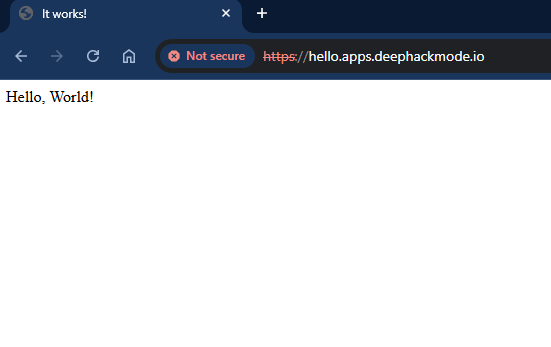
Navigated to the app in my browser. It works!